Returned Devices on Coupang: 4 Useful Gadgets for Life After Work in Korea (Tablet, Headphones and More)
After a long shift, your small dorm room or one-room is where you rest, study Korean, watch shows from home and talk with family. A few devices can make those evening hours much better: a bigger screen than your phone, headphones that do not bother roommates, a band that wakes you up quietly, and a quiet mouse for typing forms and documents.
These devices are not cheap when you buy them new. Coupang’s returned items (반품 상품) are one way to save: a customer bought the item and sent it back, and Coupang sells it again, usually for less than a new one. This guide explains how to choose returned devices safely, then shows useful types of devices for life after work. It is general life advice, not a product review. Returned stock changes very fast, so always check the current price, condition and stock on the product page.
Returned item grades (반품 등급) in simple words
A returned option shows a grade for its condition. The exact definitions are on each product page, so read them there, but roughly:
- 반품-미개봉 (unopened): not used. The outer box may be slightly damaged.
- 반품-최상 (best): little or no sign of use.
- 반품-상 (good): may have small signs of use, such as light scratches.
- 반품-중 (fair): visible signs of use. If you choose this grade, read the condition notes very carefully.
The grade and discount belong to one specific unit and can change or sell out within hours. That is why we do not write any condition or discount here. Check them yourself before you buy.
Checklist before you buy a returned device
- Grade (등급) and condition notes: read them carefully. For a tablet, look for notes about the screen.
- Included parts (구성품): check the charger, cable, strap, case or manual. A missing charger or strap means extra cost.
- Seller (판매자): check who sells the returned unit. Returned offers can come from Coupang or other sellers, and the rules may differ.
- Warranty (보증 / A/S): check the product page and the brand’s service information to see whether after-sales service is available for a returned unit. Do not assume it is the same as a new one.
- Return again? (반품 가능 여부): check on the product page whether you can return or exchange it again if there is a problem.
- Accounts and reset: a returned tablet or smart band should arrive reset. When you set it up, use your own account, and if you see someone else’s account, contact customer service.
- Test on day one: charge it fully and test everything the same day (screen, buttons, Bluetooth, battery), so you can report a problem quickly.
- Compare with new: sometimes a new item on sale costs almost the same. If the difference is small, new may be better.
1. A tablet (태블릿) for video calls, Korean study and shows
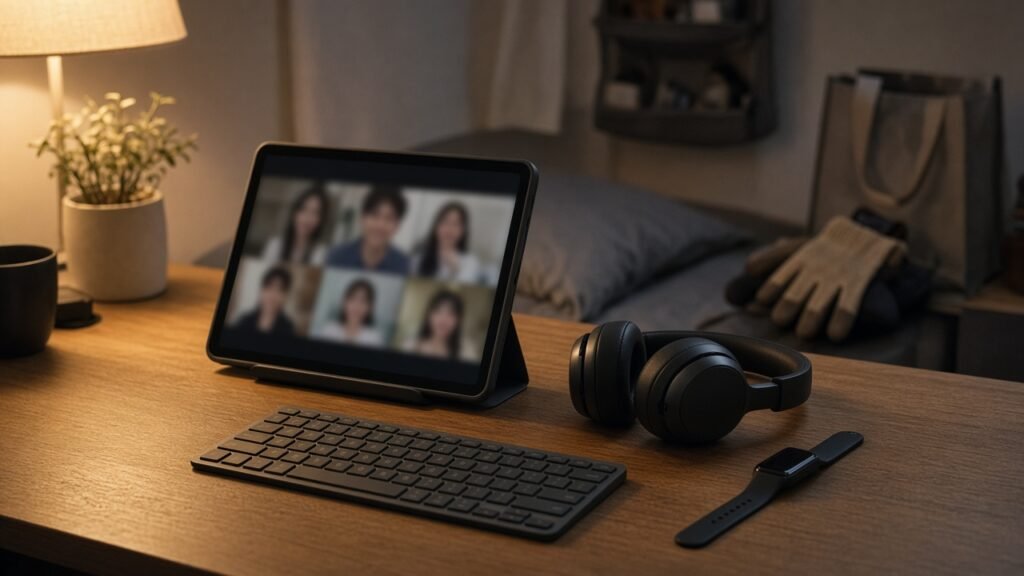
A phone screen is small for a long video call with your whole family, or for an hour of Korean study. A 10-inch tablet lets you see everyone on the call, read textbooks and EPS-TOPIK practice comfortably, and watch shows from home on your day off.
Wi-Fi tablets need Wi-Fi. Many dorms and one-rooms have it, but ask your employer or landlord first. You can also share your phone’s hotspot, but watch your data plan.
One budget example with a returned option is the 미라클엠 미라클탭 10.1 (Wi-Fi, 64GB) set with a case and screen film. For a returned tablet, read the screen condition notes and check that the charger and case are included.
2. Over-ear headphones (블루투스 헤드셋) for a shared room
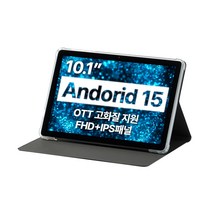
If you share a room, your roommate may sleep while you watch videos or call home. Over-ear headphones cover your ears, so you hear clearly at a lower volume and other people hear less. Many people find them more comfortable than earbuds for a long movie or study session.
Safety tip: do not wear headphones while walking near roads, forklifts or machines at work. Follow your workplace rules.
One example with a returned option is the QCY H2 PRO 블루투스 헤드셋. Check the ear cushions and the included cable, and consider wiping the ear cushions before first use.
3. A smart band (스마트밴드) for quiet alarms and shift work
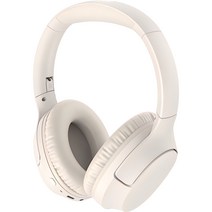
Shift work often means waking up very early or at unusual times. A phone alarm can wake the whole room, but a smart band can vibrate on your wrist instead. It can also show the time and message alerts when your phone is in a locker, and many bands track your steps and sleep so you can see if you are resting enough.
Tip: some workplaces do not allow watches or bands near certain machines or food lines. Check the rules before wearing it at work.
One example with a returned option is the 샤오미 스마트 미밴드 10 Pro. Returned bands can come in different grades, so read the condition notes and check that the strap and charging cable are included.
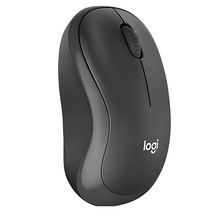
4. A silent wireless mouse (무소음 마우스) for laptop or tablet work
If you have a laptop, or a tablet that supports a mouse, filling in forms, online visa applications, job sites and long messages is much easier with a mouse than with a touchpad. A silent mouse makes almost no clicking sound, which is kind to roommates at night.
Tip: check that your device supports Bluetooth, and see which battery it uses so you can buy a spare at a convenience store.
One example with a returned option is the 로지텍 무소음 블루투스 무선 마우스 M240. Check the included parts and the condition notes on the page.
To order on Coupang you usually need: a Korean phone number for sign-up and verification; often your Residence Card (외국인등록증, formerly called Alien Registration Card) for identity verification; and a payment card or bank account that works in Korea. If one step fails, ask a Korean coworker or your company manager to help you check the settings.
Returned items can sell out quickly, and the price and grade you see later may be different. Always check the current price, grade, included parts and seller on the product page before you buy.